
Write it by hand. Doodue organizes it.
A notebook for taking handwritten notes with Apple Pencil that also turns what you jot down into tasks, solves your equations and keeps track of your habits and calendar. For iPad, iPhone and Mac.
Coming soon to the App Store for iPhone, iPad and Mac.
One Doodue. On your iPhone, iPad and Mac.
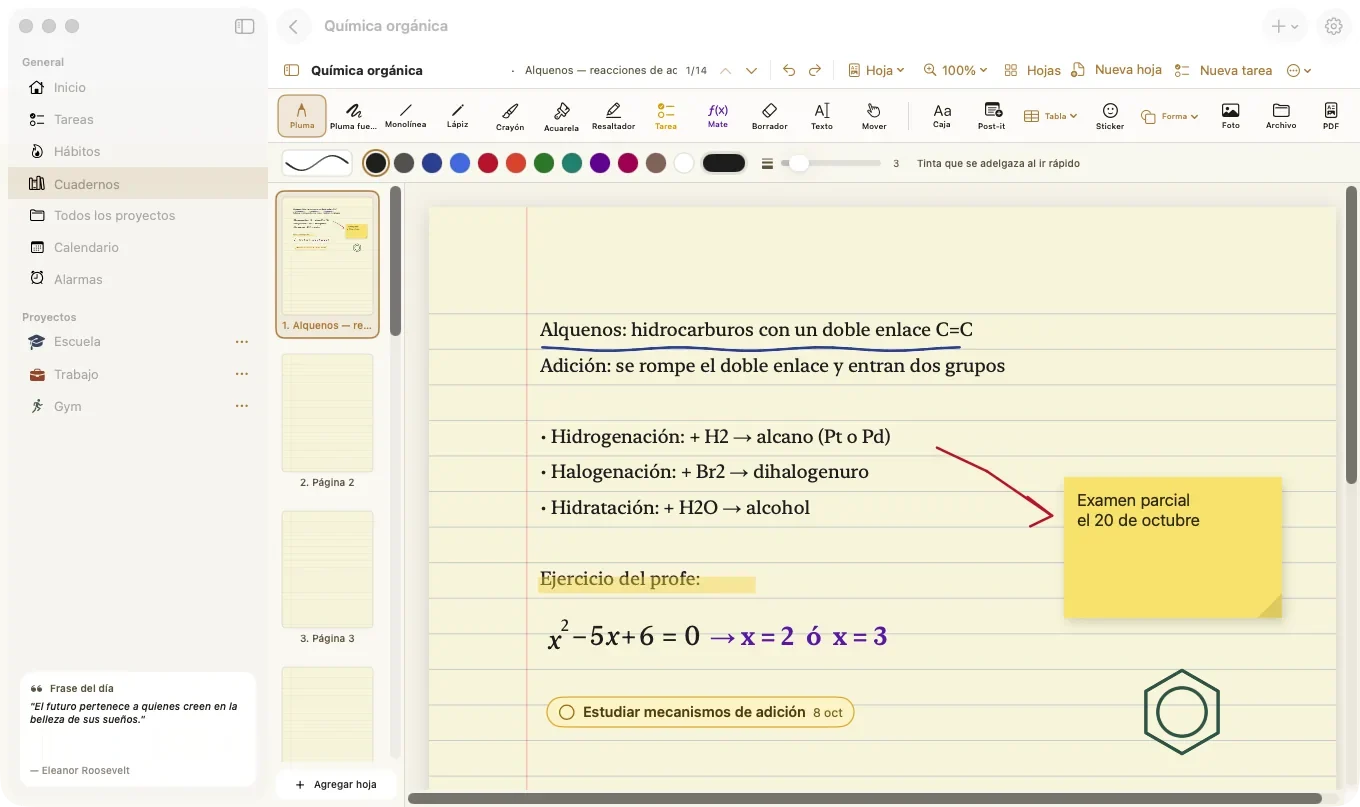
On Mac, plan your week.
A big calendar, your projects and each class’s progress on a wide screen.
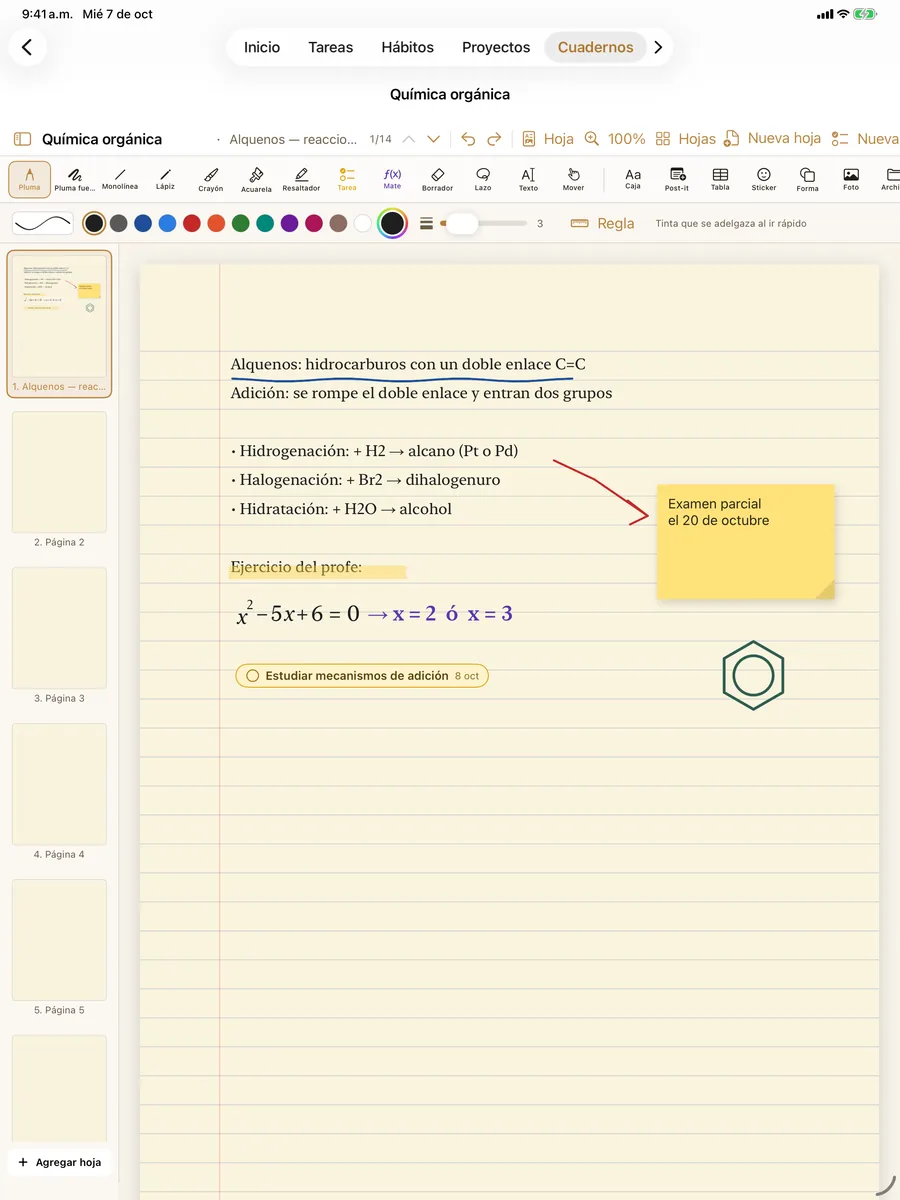
On iPad, write with Apple Pencil.
Notes over your professor’s slides, and what you write becomes a task.
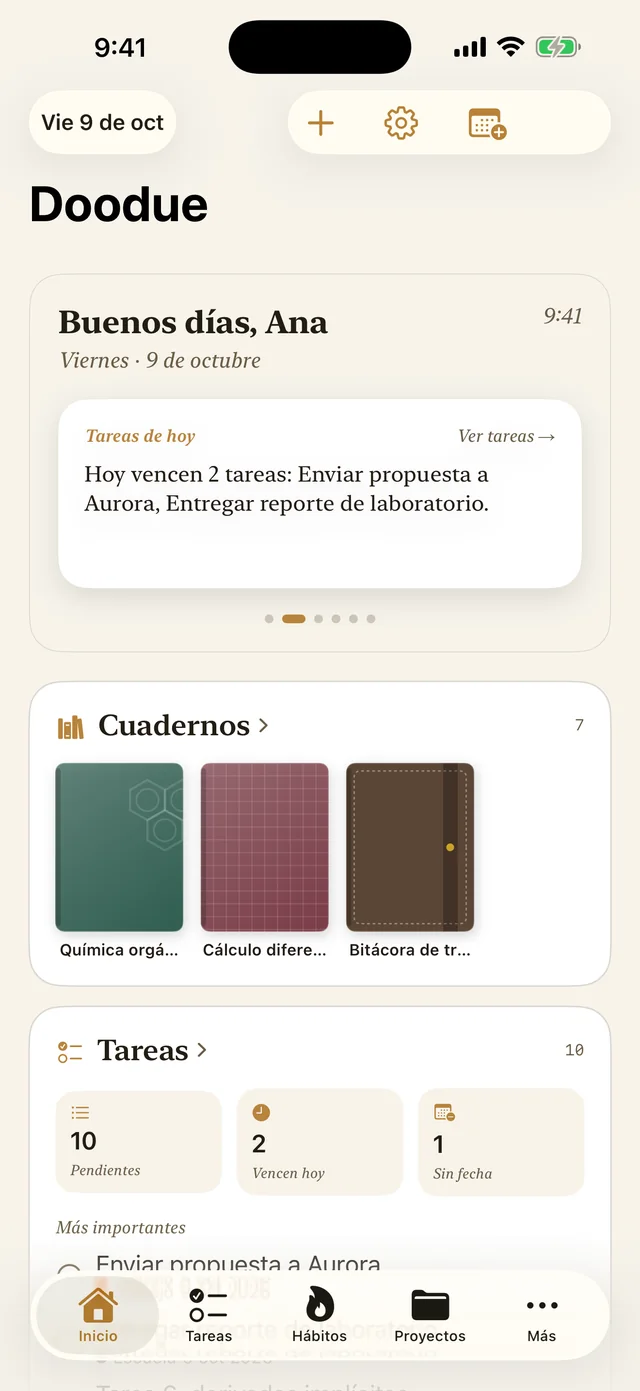
On iPhone, see what’s next.
Today’s to-dos and habits, always at hand.
And everything syncs with iCloud.
Start on one device and pick up on another: your notebooks, tasks and habits are on all of them with your Apple Account.
Write it down. It’s already a task.
With the task pen, what you jot down in class becomes a task with a date and time, linked to the page where you wrote it. With the math pen, your notebook solves the problem.
Illustration: with the task pen you handwrite “Turn in lab report Friday at 5” and Doodue shows a “Task detected” card set for Friday at 5:00 PM. Tap “Create task” and a checkbox stays linked to the page.
Illustration of how it works on iPad with Apple Pencil.
Calendar
Your week, with nothing slipping through.
Tasks, deadlines, routines and events in one calendar, in year, month, week or day view. It connects to Apple Calendar: your iCloud events show up here, and you can edit them from Doodue.
Habits and goals
Consistency you can see.
Give each habit a goal — times a day or an amount — and watch it move: your streaks, your weekly stats and your personal best. For what you want to quit, Doodue counts the days and how much you’ve saved.
26-day streak
Goal met: 8 of 8 glasses
Habits
82%
This week31 days
Longest streakDaily habits
Things I want to quit
Soda
31 days without it
$465 saved
Projects and goals
Every goal, broken into steps.
Create a project for each goal — a class, a job, the gym — and break it down as far as you like. As you check off tasks, progress goes up on its own. See them as a list, a board or a summary.
School›Eighth semester›Chemistry›Lab
Lab
- Results tableTue 13
- Yield chartWed 14
- ConclusionsThu 15
- Turn in lab reportFri 16 · 5:00 PM
Your whole week, in one place
Doodue brings together what’s now spread across your notes app, your to-do app, your calendar and your habit tracker, and organizes it by class.
Several of these features come with Doodue Standard. See what each plan includes.
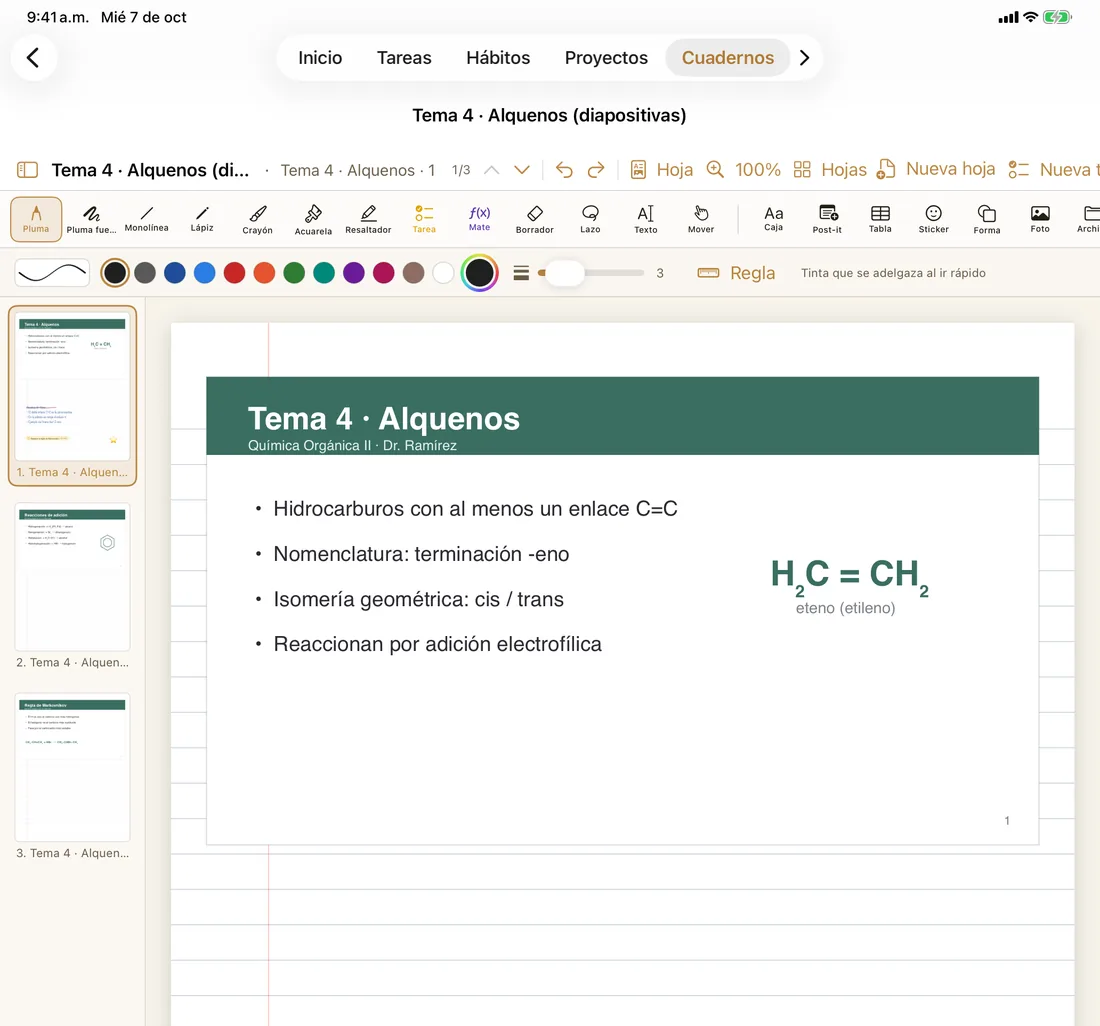
Your professor’s slides, with your notes
Import the lecture PDF and choose how to lay it out: full page, slide on top with lines below, or two per page. Write over it with any pen and export the whole notebook to PDF with your ink.
A complete notebook
Seven ink tools, eleven paper types (Cornell, graph, hexagonal for chemistry…), twelve paper colors, sticky notes, tables, shapes and formatted text. You can even search for words in your own handwriting.
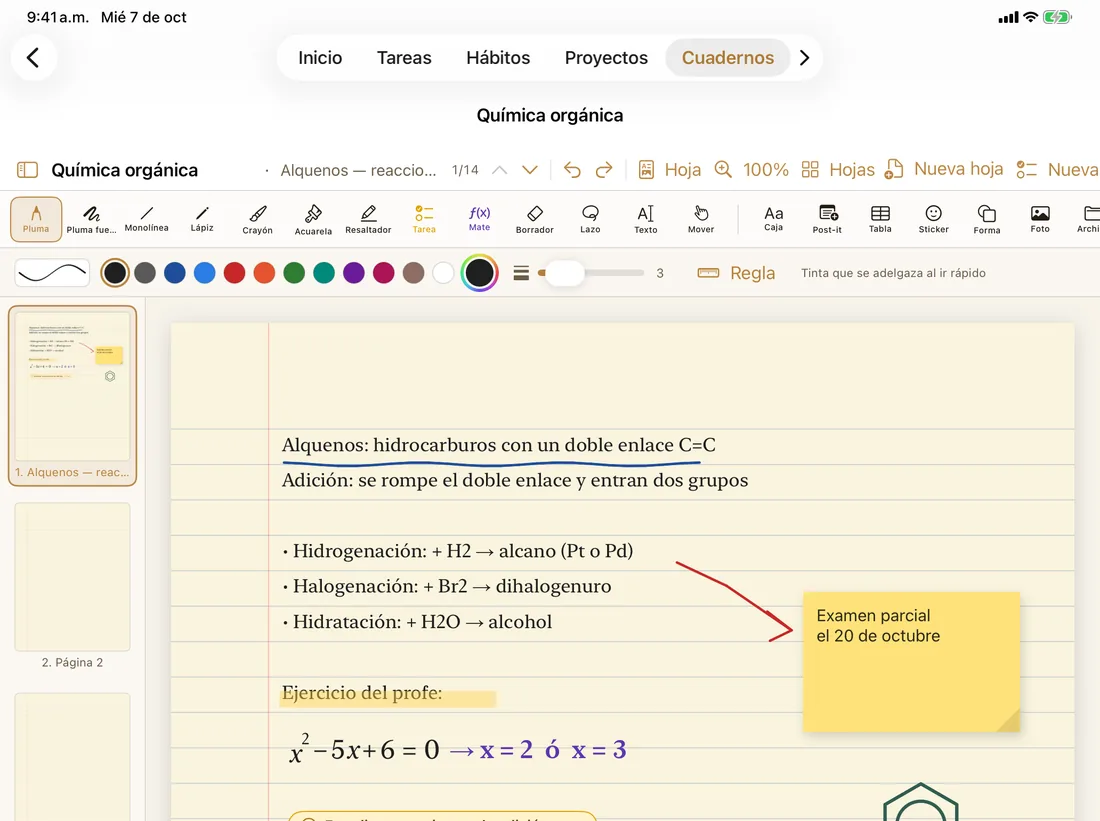
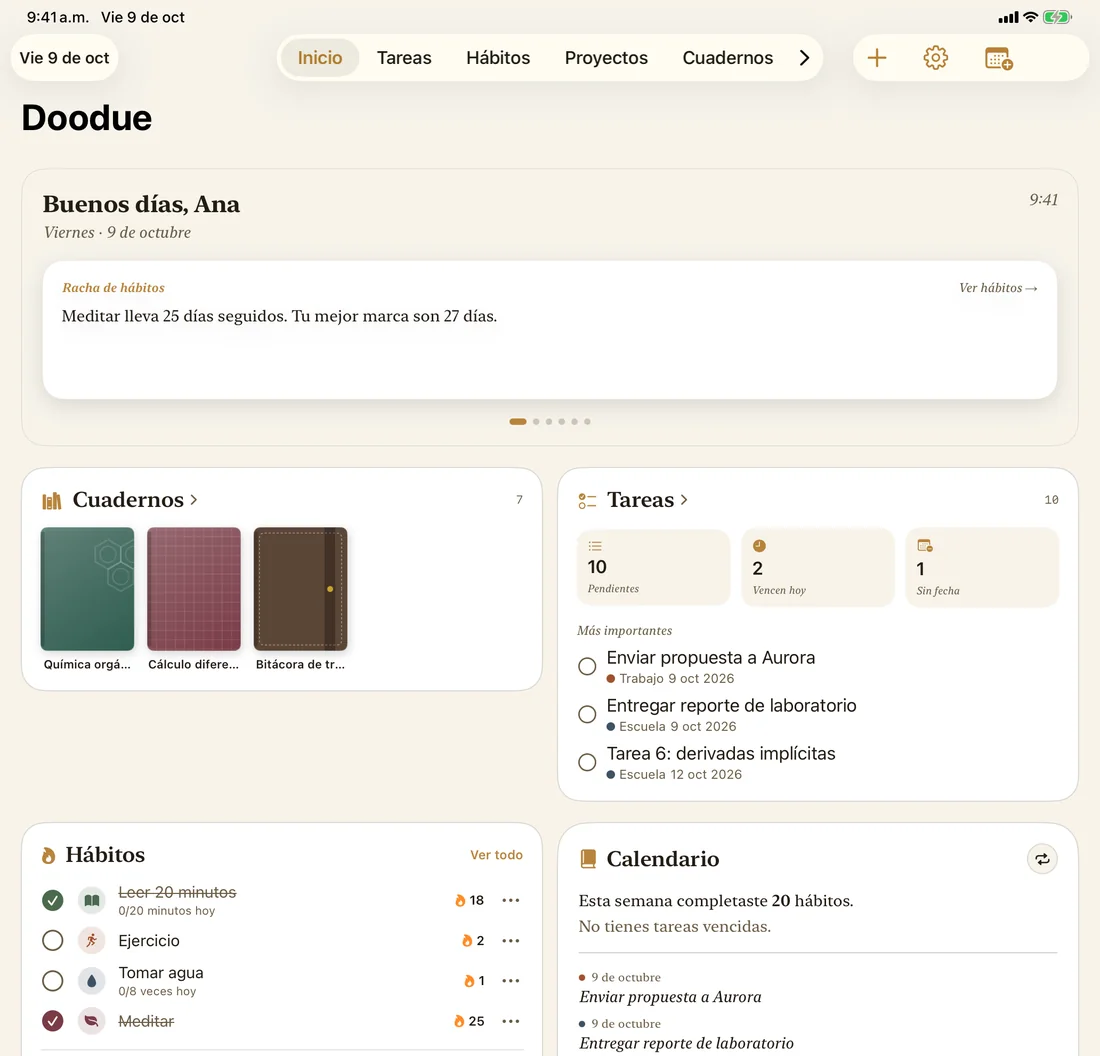
Your day at a glance
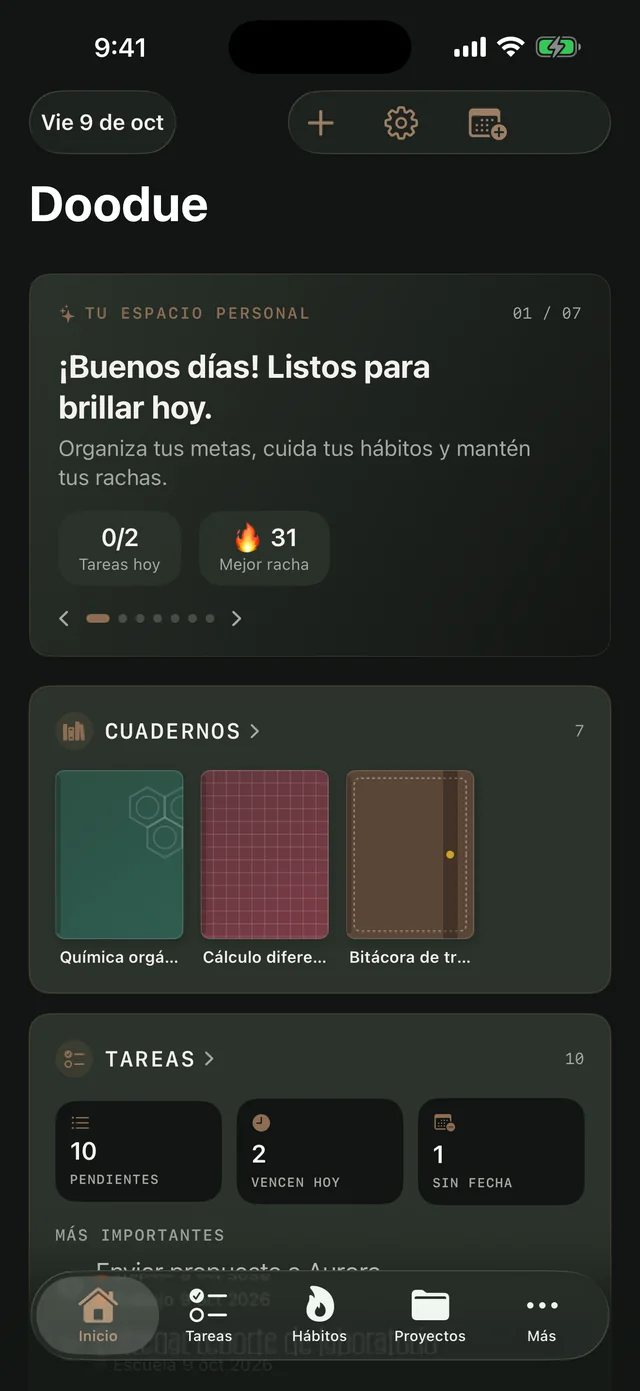
Home greets you and gathers today: tasks that are due, your notebooks, your habits, your calendar and how many days you’ve gone without what you’re quitting.
Your day, without opening the app
Check off tasks and habits from widgets on iPhone, iPad and Mac, including the Lock Screen. Track streaks for what you want to keep doing and what you want to quit, with how much you’ve saved. Set alarms with five custom tones, or ask Siri to add a task.
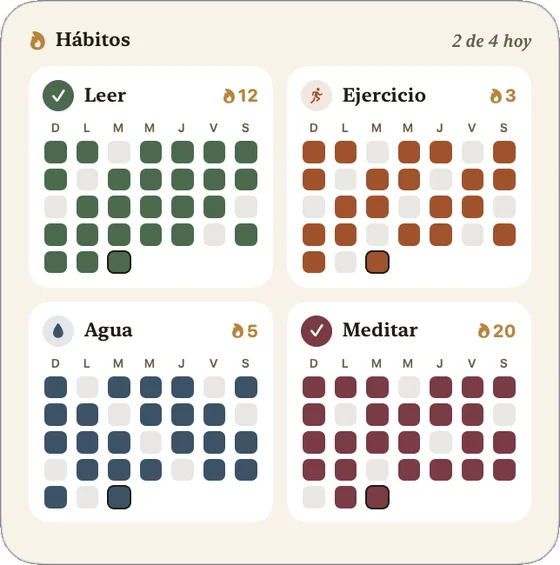
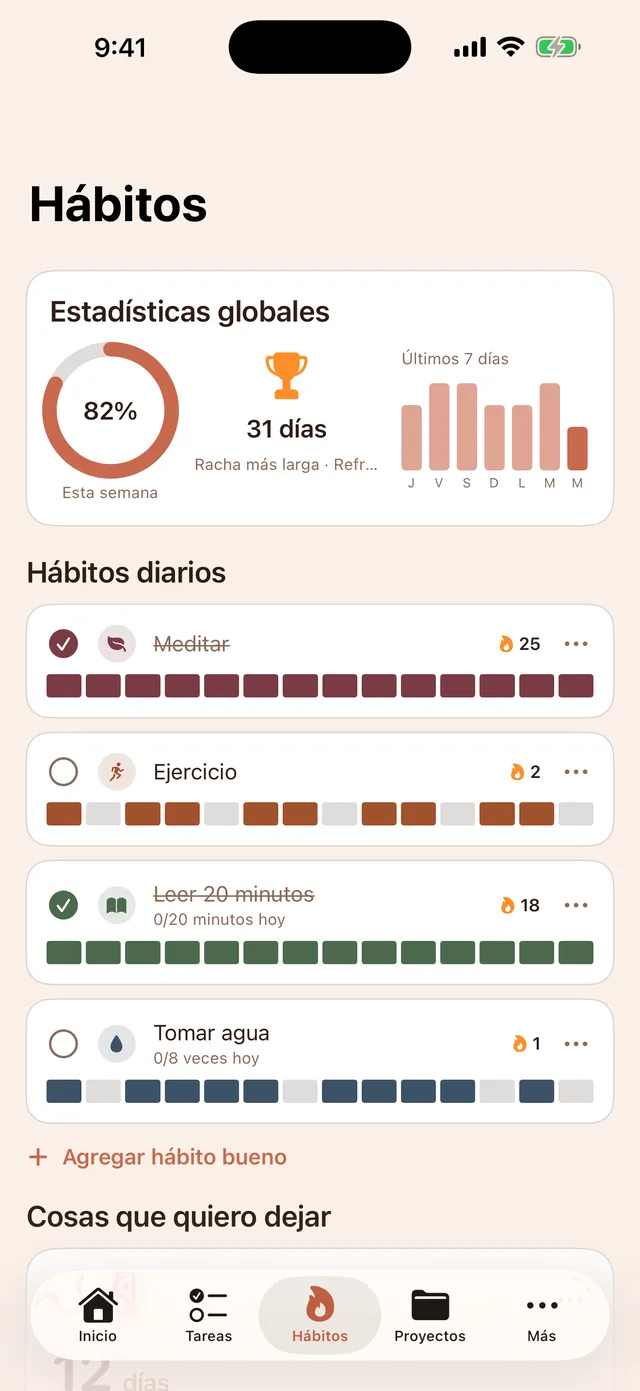
Three Designs, not just three colors
Each Design changes the colors of the whole app. On Home, notebooks, the calendar and widgets, it also changes the typeface and shapes. The free plan uses Tactical; all three come with Doodue Standard.
Tactical
Olive, parchment and mocha. Uppercase titles and a dashboard feel. It’s the one you get out of the box.
Your stuff is yours
Doodue keeps your notebooks, tasks and habits on your devices and syncs them with your own iCloud account. Your Apple Calendar events go between your device and Apple, with no Doodue servers in between. Your handwriting is read on the device itself, without the internet.
The free version shows ads, and those ads never use your notes, tasks or calendars.
Plans
Doodue is free to download. The first time you open it you can try Doodue Standard free for 7 days; unless you cancel before then, it’s charged monthly to your Apple Account. If you’d rather not try it, tap “No thanks, continue free”. We’ll announce pricing before launch.
Doodue Free
With ads
- Unlimited tasks with due dates, reminders and subtasks, in list view
- 1 project with 1 subproject
- 3 habits and 1 streak
- 2 notebooks with blank or lined paper, a basic pen and eraser
- Task pen 5 times a week
- 2 connected calendars
- Small Tasks and Habits widgets
- Siri and Shortcuts
- Tactical Design
Doodue Standard
Monthly subscription, no ads
- Everything unlimited, plus board and dashboard views
- Unlimited projects and subprojects
- Every pen, paper and cover, plus sticky notes, tables and stickers
- Math pen
- Lecture PDFs and PDF export
- Search your handwriting
- Unlimited calendars
- Alarms with all 5 tones
- Every widget
- All 3 Designs
If your trial ends or you cancel, everything you made stays: you can still view, edit and export it. You just can’t create more than the free plan allows.
Where it works
iPhone, iPad and Mac running iOS, iPadOS or macOS 26.4 or later. On iPad you write with Apple Pencil; on Mac, with a mouse or trackpad.
With iCloud, what you do on one device shows up on the others signed in to the same Apple Account.
Want us to let you know when it’s available?
Leave your name and email, and we’ll write to you the day Doodue hits the App Store.